Echo
Microsoft 365 security operations. One view.
A security operations dashboard that brings alerts, identity risk, device compliance, email threats and incidents into a single console — instead of the half a dozen admin portals they live in today.
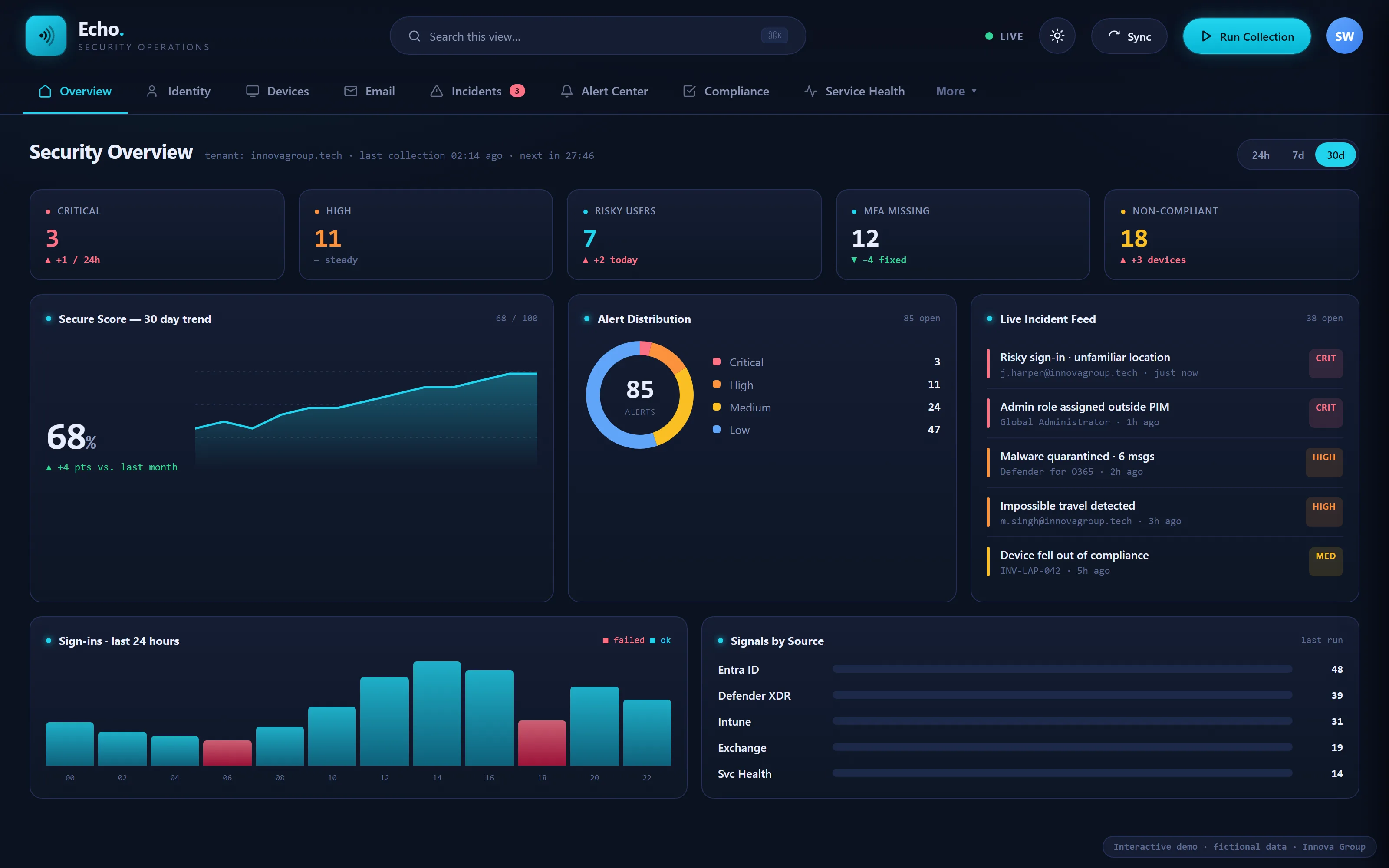
This is the actual dashboard
This is Echo itself, running directly in the page. Move through all eight views, drill into an incident, run a collection, sort and filter a table, export it or switch the theme. The public demonstration uses fictional data and has no connection to a Microsoft 365 tenant. The operational build is used by Innova Group.
The real Echo interface, operating here with fictional data. No information is read from or sent to a live tenant by this demonstration.
The answer is in there somewhere
Microsoft 365 does not lack security information. It scatters it. Answering “is anything wrong this morning?” means opening these, one at a time, and holding the answer in your head as you go.
Echo puts all of it on one screen.
Eight views, one morning check
Each view answers one question properly rather than showing a tile of everything. Every table drills down, sorts, filters and exports.
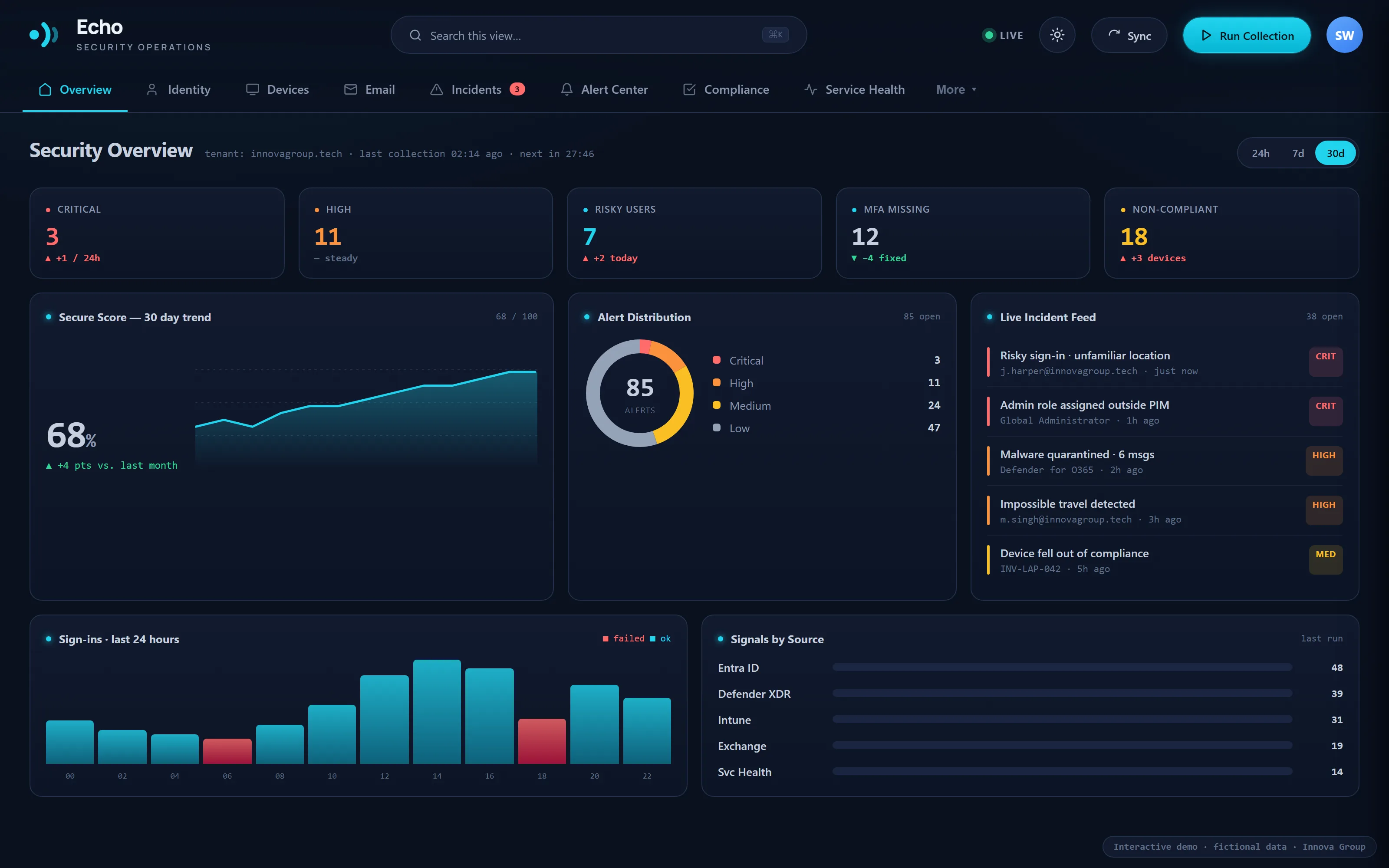
The morning check, on one screen
Secure score against a 30-day trend, open alerts by severity, a live incident feed and sign-ins over the last 24 hours. The header states when the last collection ran and when the next one is due, so nothing on screen is of unknown age.
- Critical, high, risky users, MFA gaps and non-compliant devices at a glance
- Secure score trended, not just stated
- Live incident feed with the source against each entry
- Signals by source — Entra ID, Defender XDR, Intune, Exchange, service health
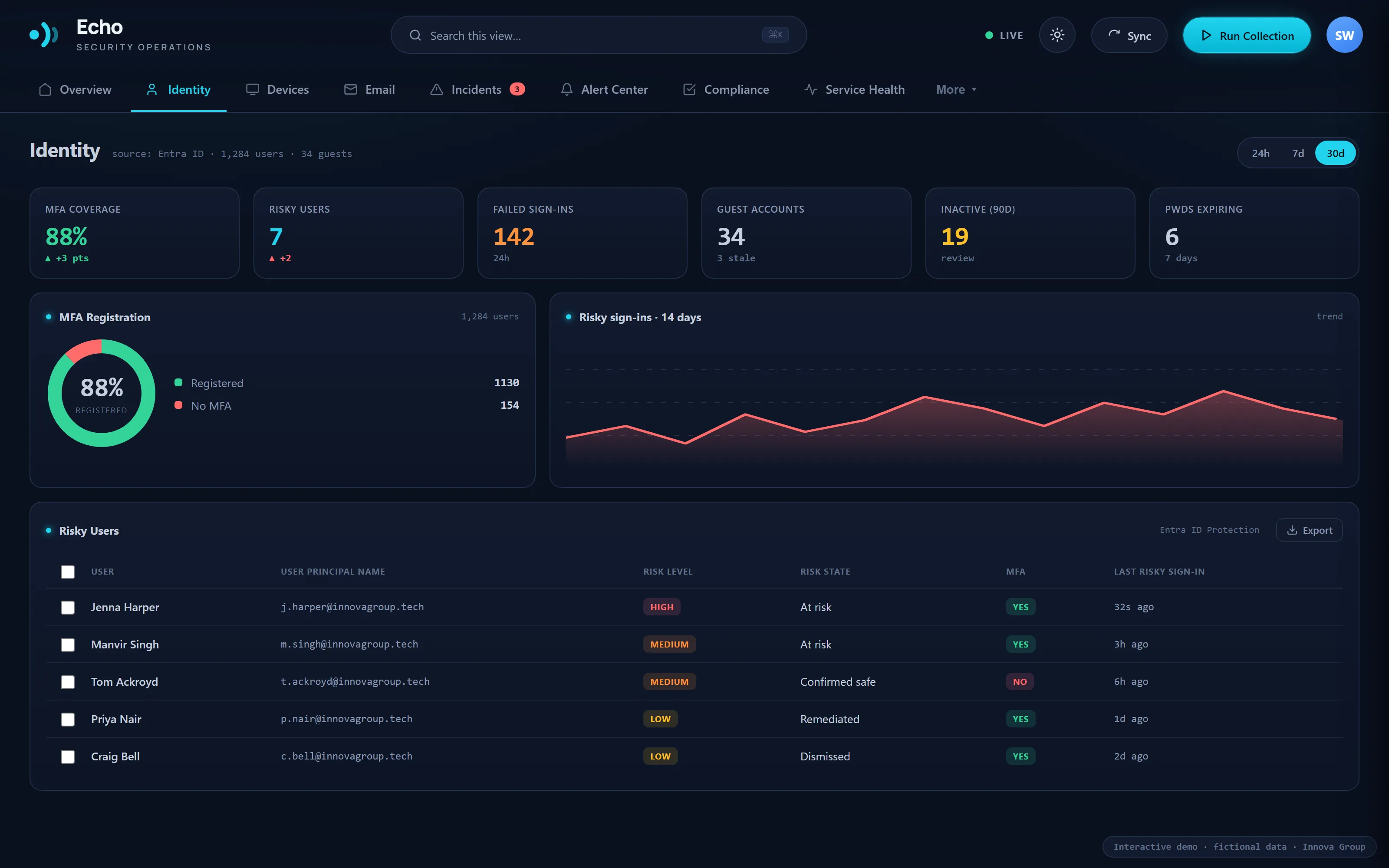
Who can get in, and how hard it would be
MFA registration, risky sign-ins over 14 days and the users behind them. Identity is where most incidents start, so it gets its own view rather than a tile on someone else's dashboard.
- MFA coverage across the tenant
- Risky sign-ins trended over 14 days
- Risky users listed with what triggered them
- Conditional access coverage and privileged accounts
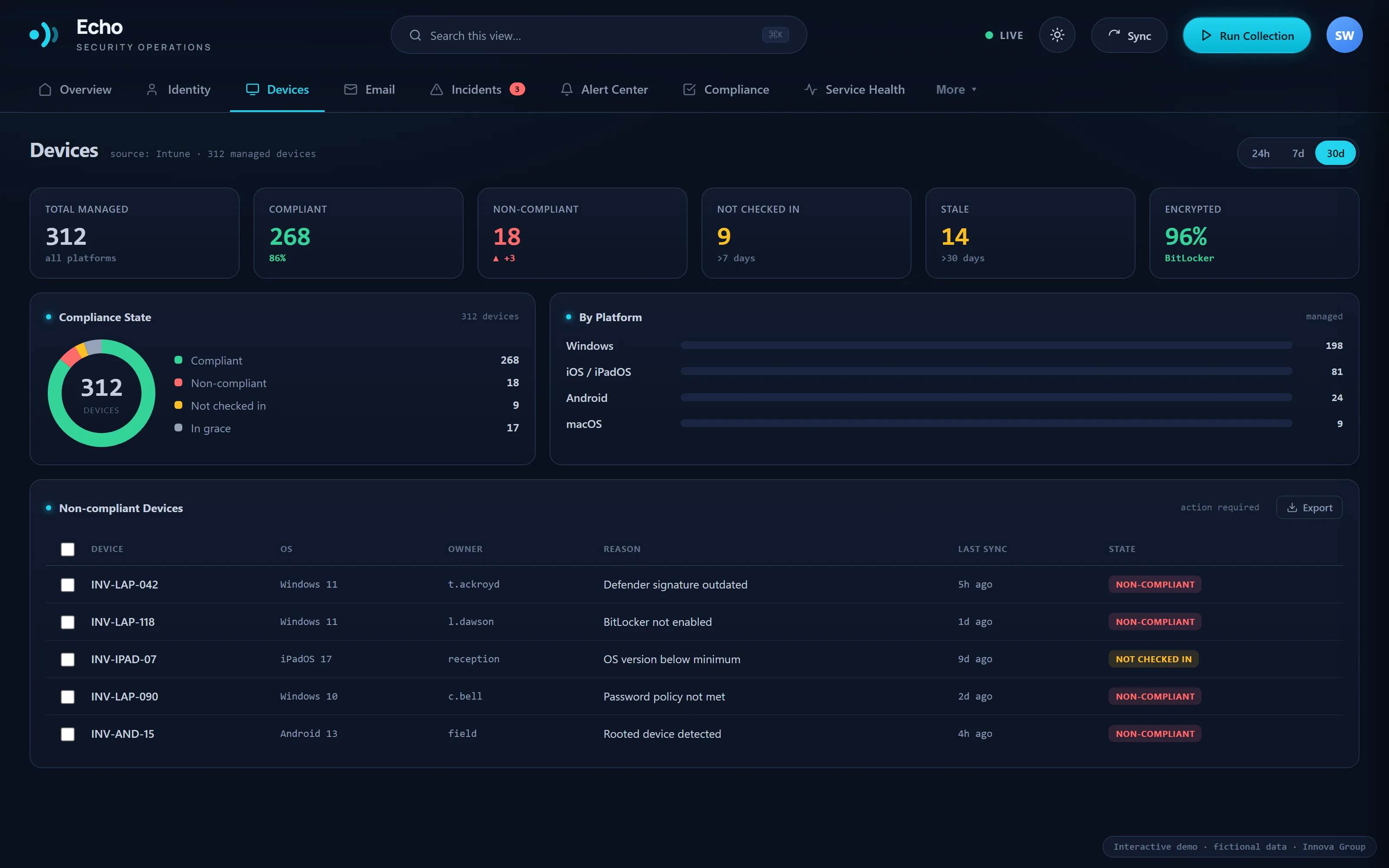
What they get in on, and what is arriving
Device compliance broken down by platform with the machines that have quietly stopped checking in, alongside quarantine, phishing and impersonation detections from Defender for Office 365.
- Compliance state by platform
- Stale and non-compliant devices surfaced, not buried
- Threat detections over 30 days by source
- Recent detections listed with what was done about them
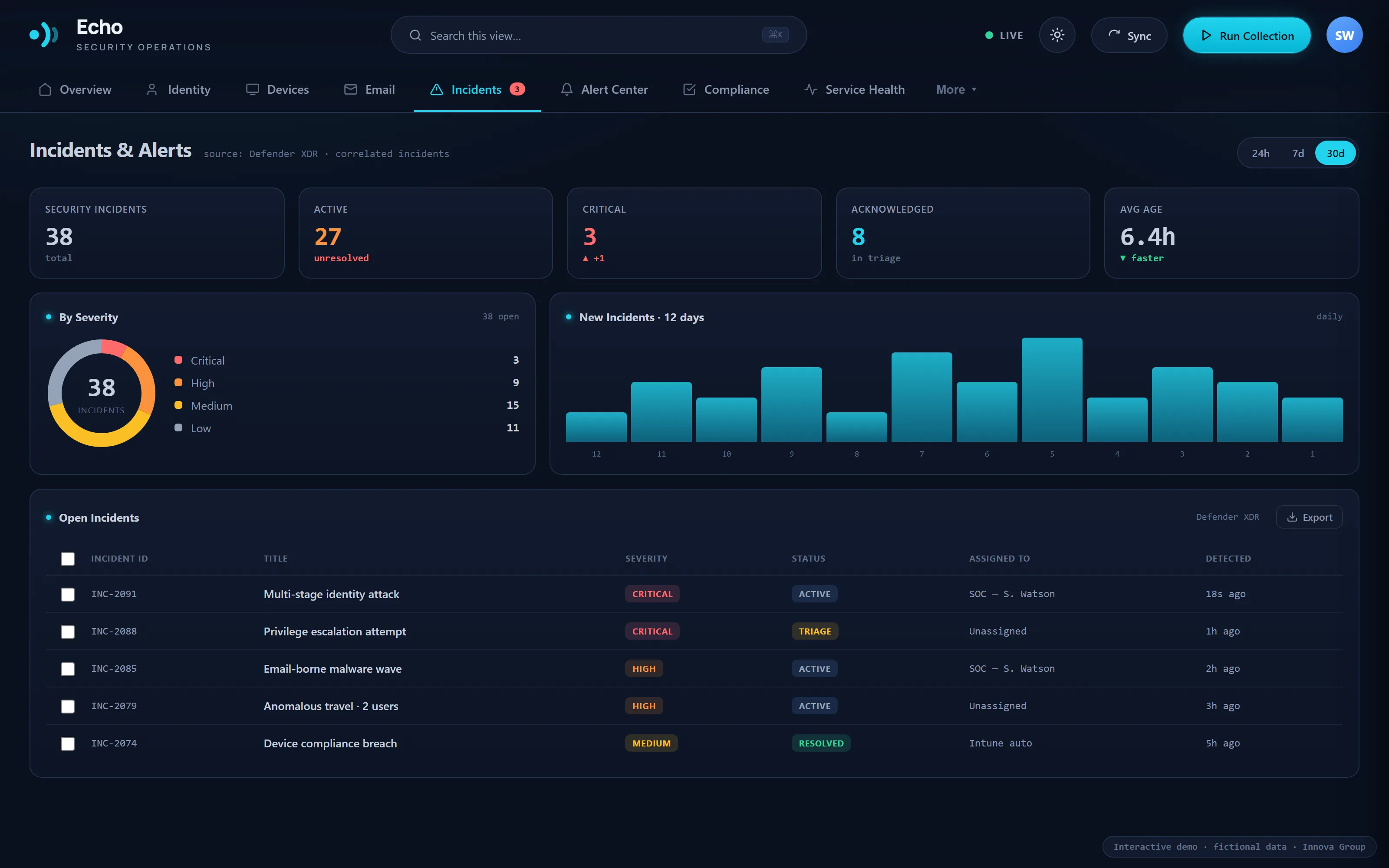
Ranked by what it puts at risk
Open incidents by severity and the new ones over 12 days, with an alert centre and the policies generating them — so a noisy rule gets fixed rather than ignored.
- Correlated incidents, ranked by risk not arrival time
- New incidents trended so a spike is visible
- Alert centre with configurable policies
- Drill into any record, then act on it
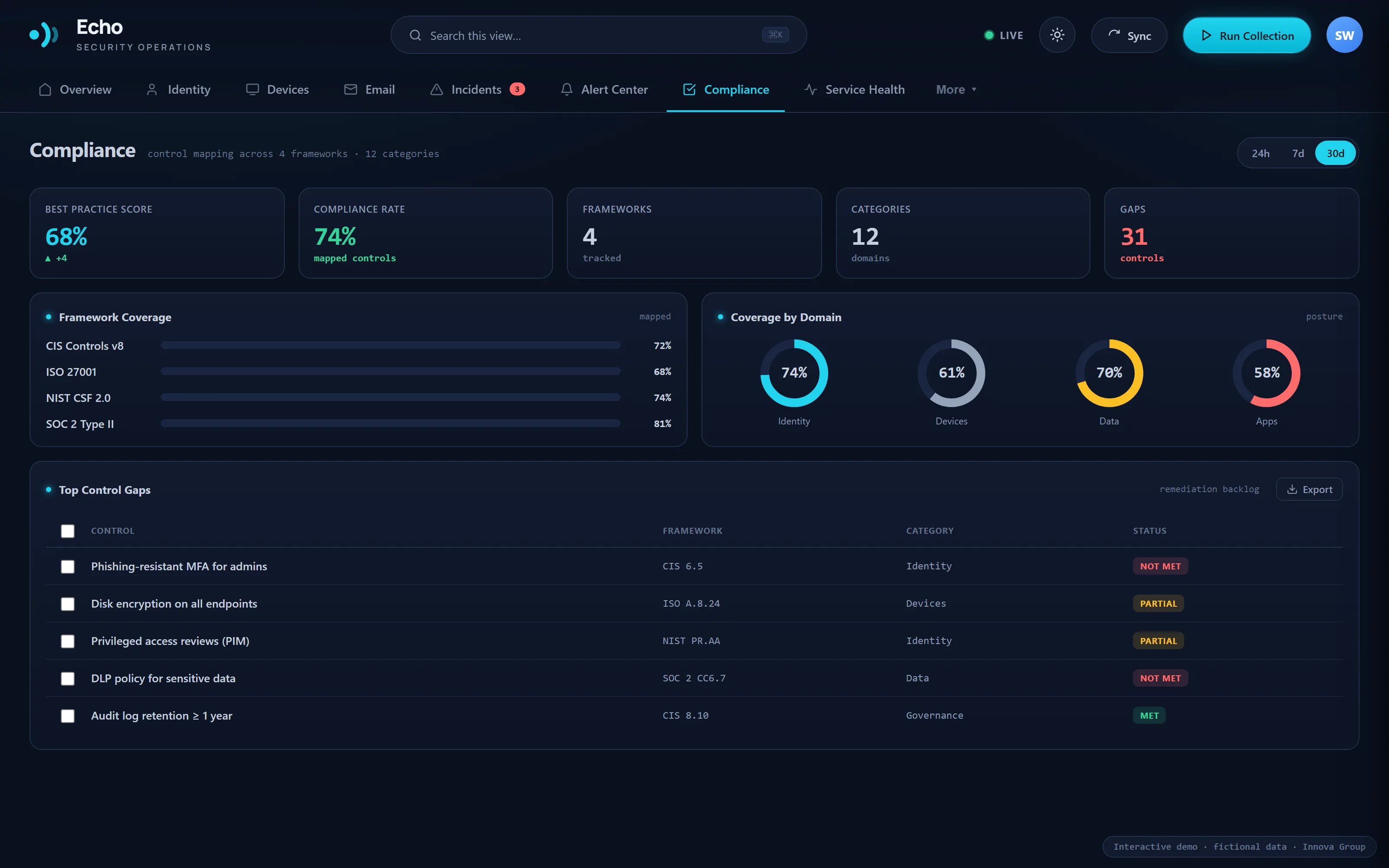
Where control coverage is incomplete
Control coverage mapped to CIS, ISO 27001, NIST CSF and SOC 2, with the top control gaps ranked — next to live Microsoft 365 status and advisories, because half of what looks like a fault is Microsoft having a bad morning.
- Framework coverage across CIS, ISO 27001, NIST CSF and SOC 2
- Coverage by domain, with the gaps ranked
- Live Microsoft 365 service status and advisories
- Everything exportable to CSV
Framework mappings provide operational guidance and visibility into control coverage. They do not represent certification or a formal compliance audit.
The same picture, out of hours
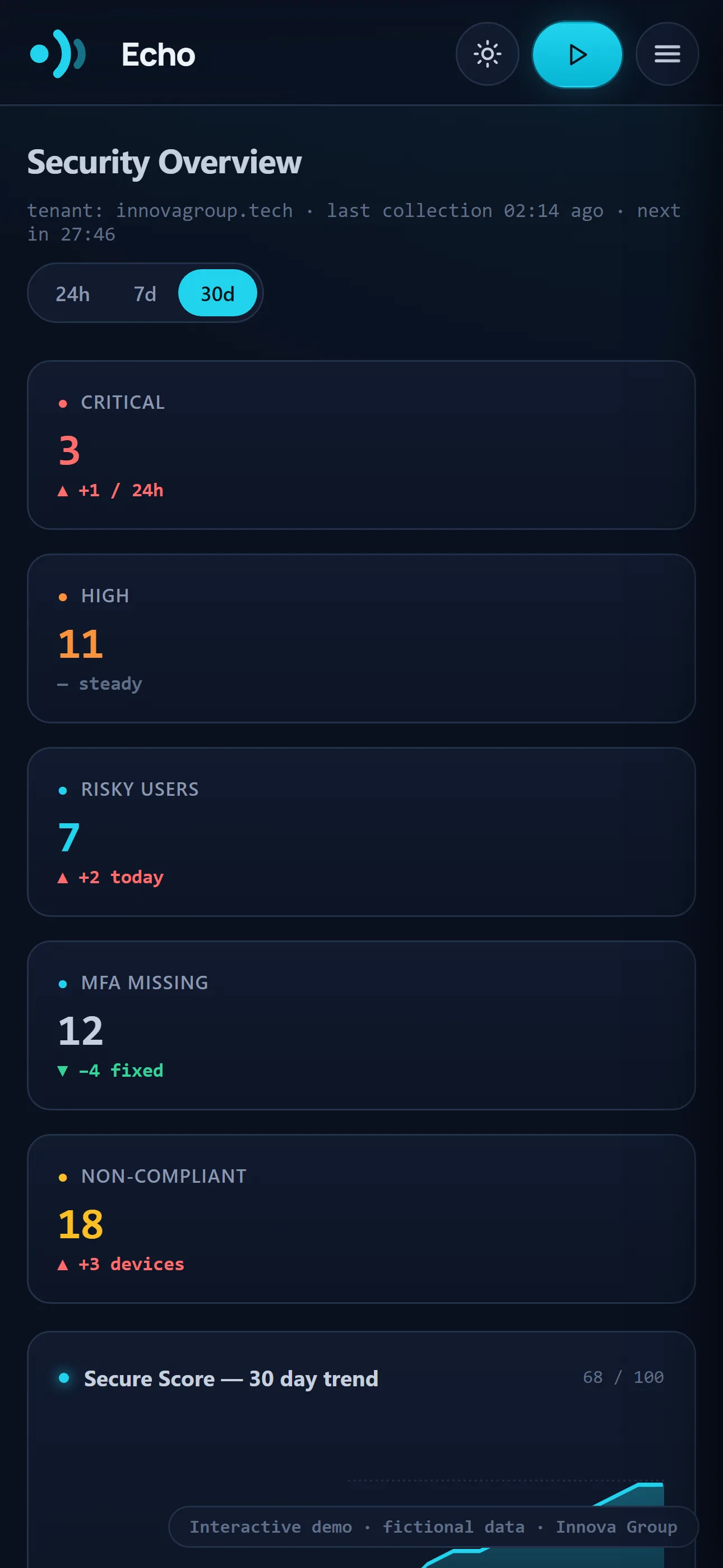
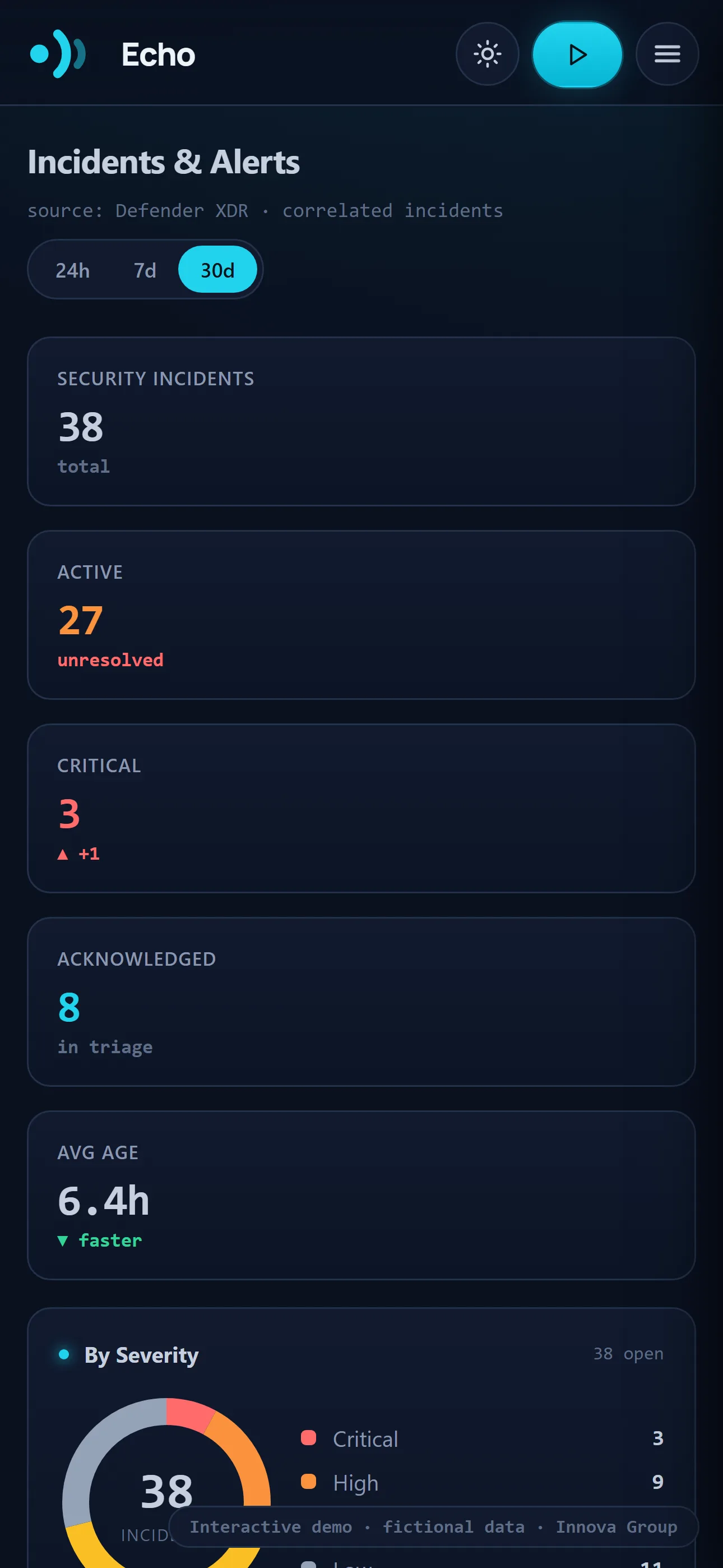
Every view reflows to a phone rather than shrinking. Severity counts stack, tables become cards, and the incident feed stays readable one-handed — because the call that matters rarely arrives while you are at your desk.
- Every view, not a cut-down mobile subset
- Severity counts and incidents readable at a glance
- Tables reflow to cards rather than scrolling sideways
- Light and dark, following the device
Nothing it doesn’t need
One view, not another portal
The problem is not that Microsoft lacks data — it is that the data is spread across half a dozen consoles. Echo puts what needs attention on one screen.
Read-only, by design
Echo reads through the Microsoft Graph with least-privilege, read-only consent. It reports on your tenant and cannot reconfigure it — there is no setting in Echo that changes anything in Microsoft 365.
Collection, then evaluation
Echo runs a collection against the tenant, then evaluates every signal against its policy engine. The header always says how old the picture is.
Built from real Microsoft 365 administration
Echo was shaped around the checks Innova Group carries out when monitoring Microsoft 365 environments—not around a generic feature list.
Built, not mocked up
The demonstration above is the real Echo interface. Every view, drill-down, filter and export is part of the working product; only the public demonstration data is fictional.
It’s built. You’ve just used it.
Echo is working software used by Innova Group. The public demonstration above is the same interface operating on fictional data. Early pilots are focused on smaller Microsoft 365 environments of around ten users, with the required access and connection scope agreed before anything is connected.